01
Save the costing model
Name a real wreath, keep its SKU, selling channel, current price, target price, and every calculator assumption together.
Private profitability workspace
A calculator answers one pricing question. Your account keeps the model, records real sales and costs, and shows whether the margin held after the wreath reached the customer.
Free includes one editable product line and 30 profitability records. No card required.
The account workflow
01
Name a real wreath, keep its SKU, selling channel, current price, target price, and every calculator assumption together.
02
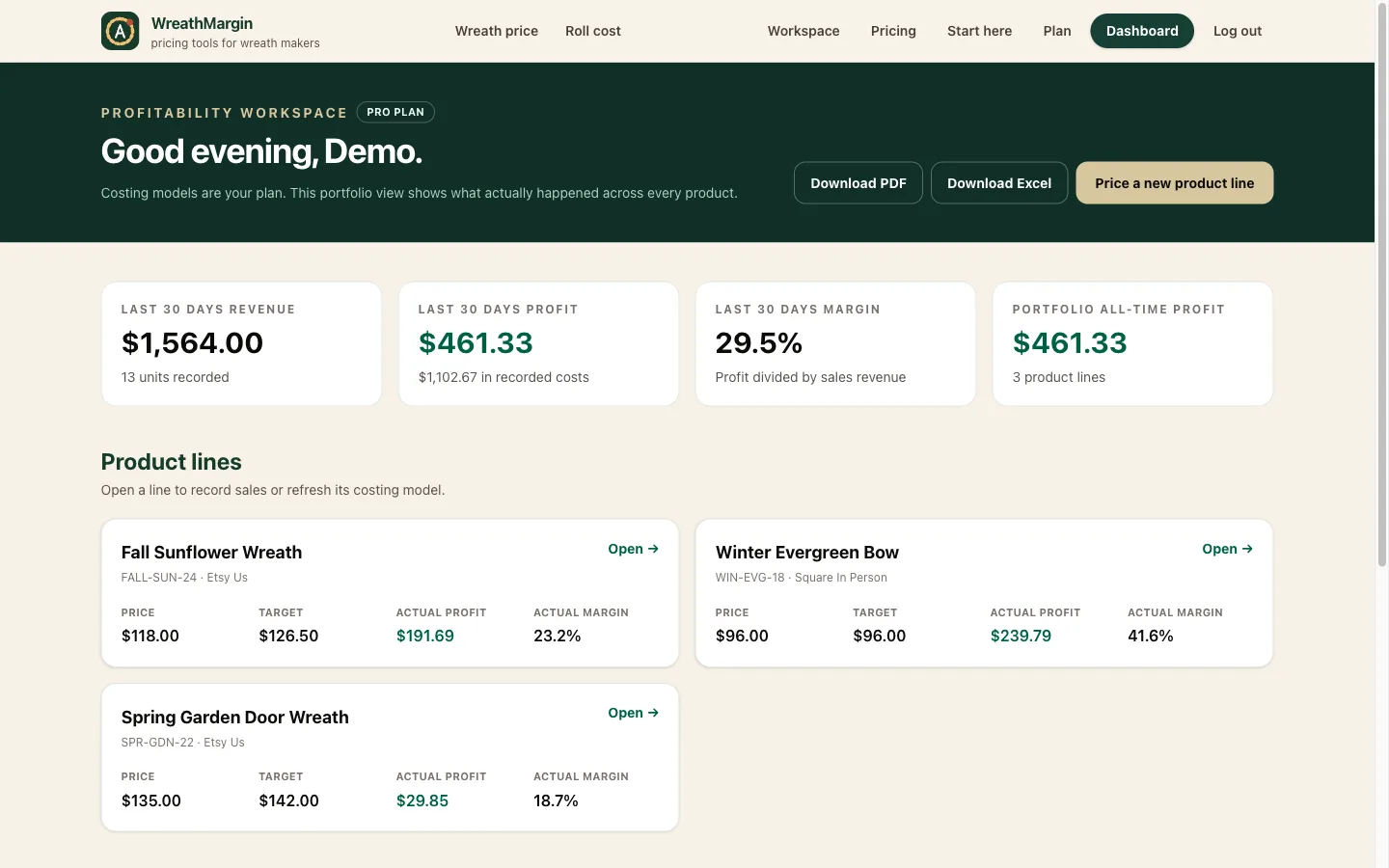
Add an order or batch with item revenue, shipping revenue, materials, labor, packaging, overhead, postage, fees, and other costs.
03
See 30-day and all-time revenue, costs, profit, and margin, then return to the calculator when the model needs to change.
One product, explained
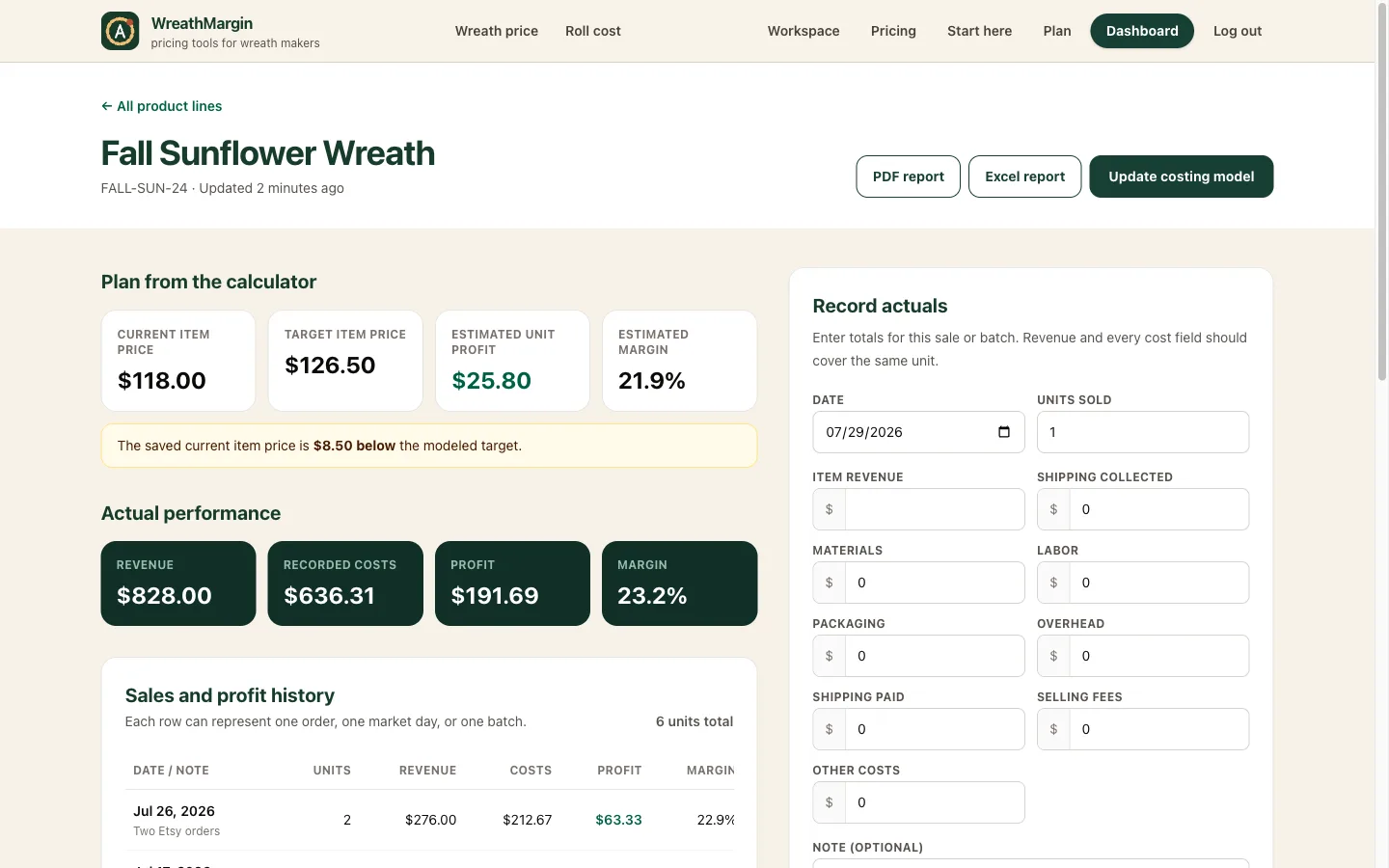
The product page keeps the calculator’s current price, target price, estimated profit, and target margin above the actual sales record. That makes a shipping overage, extra hour, or fee change visible instead of letting it disappear inside monthly revenue.
Free
Keep one costing model editable, record up to 30 profitability entries, and compare planned and actual performance without a subscription.
Pro
Add unlimited product lines and history, combine them in one dashboard, and export product or portfolio reports as PDF and Excel.
Run the real numbers through the calculator, save the model, and add the next order when it happens.